Controller: a Teenage Engineering-inspired terminal for Claude Code
Agent interfaces are increasingly leaning towards the complete autonomous creation of software, to an extent that the user is less in the loop. In 2022, GitHub Copilot gave users code completion. In 2023, Cursor began introducing file-level edits. In 2024, v0 introduced cloud-based creation of projects tested in its own sandbox. And since November 2025, Claude Code and Codex have meaningfully increased not just model capabilities but their usefulness in coding harnesses. While the trend has meant that users are able to leverage these interfaces to create longer-running tasks and shift towards goal engineering, in certain use cases users want to be in control, even if their agents are generating all the code.
A few random notes from claude coding quite a bit last few weeks.
— Andrej Karpathy (@karpathy) January 26, 2026
Coding workflow. Given the latest lift in LLM coding capability, like many others I rapidly went from about 80% manual+autocomplete coding and 20% agents in November to 80% agent coding and 20% edits+touchups in…
This long tweet from Karpathy captures the essence. Agents have rendered what used to be meaningful architecture decisions obsolete, often keeping the user out of the loop by choosing the standard or following their preferences. This is valuable. But it has shifted the decisions that users should control in order to maximize the quality of outputs from their agents and their steerability, such as: How many sub-agents should be created at once? What are the patterns that the agent should refer to when creating a design? How should it use the browser to test the page? How much effort should be spent on a task? How should an agent team be set up?
As a design engineer who runs agentic workflows on a daily basis (see below), deciding how to control (or not), what to control, and when to make that decision is key.
Worked with @1a1a11a and the agents systems and optimizations team at @Harvard to create a @jugendingenieur-inspired interface to control and orchestrate your coding agents.
— Raúl Romero (@Raul_RomeroM) October 9, 2026
Check out multiple explorations many of us made over the past few weeks :) https://t.co/6URCJxSxzA pic.twitter.com/vRtTEoC3F0
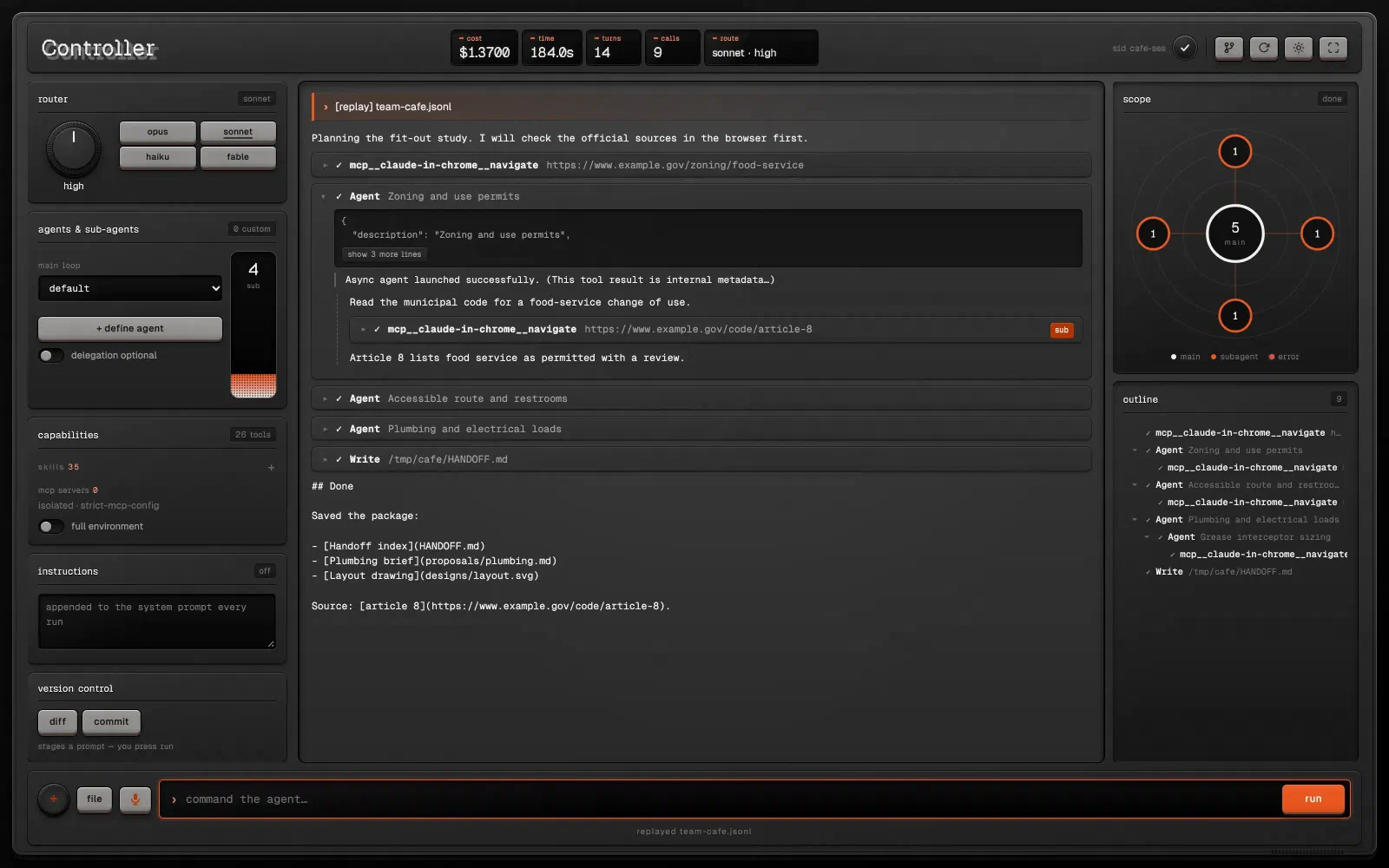
So, with the advice of my professor Juncheng Yang and TF Yiyu Liu, I created a Teenage Engineering-inspired Claude Code terminal (called ‘Controller’) that provides visible knobs that allow users to reduce the amount of prompting they do and quickly take relevant actions. It merges the elements of Claude Code with physical levers users can use, and gives them visibility into their usage, consumption and model.
This visual identity and the manual knobs provide a more bespoke experience that can give design engineers (and developers in general) a different feel of the model, and an experience that feels easier to manage, with lower cognitive load than prompting every adjustment.
At the top, users can observe consumption and model, and can easily instruct Claude Code to merge the changes into main.

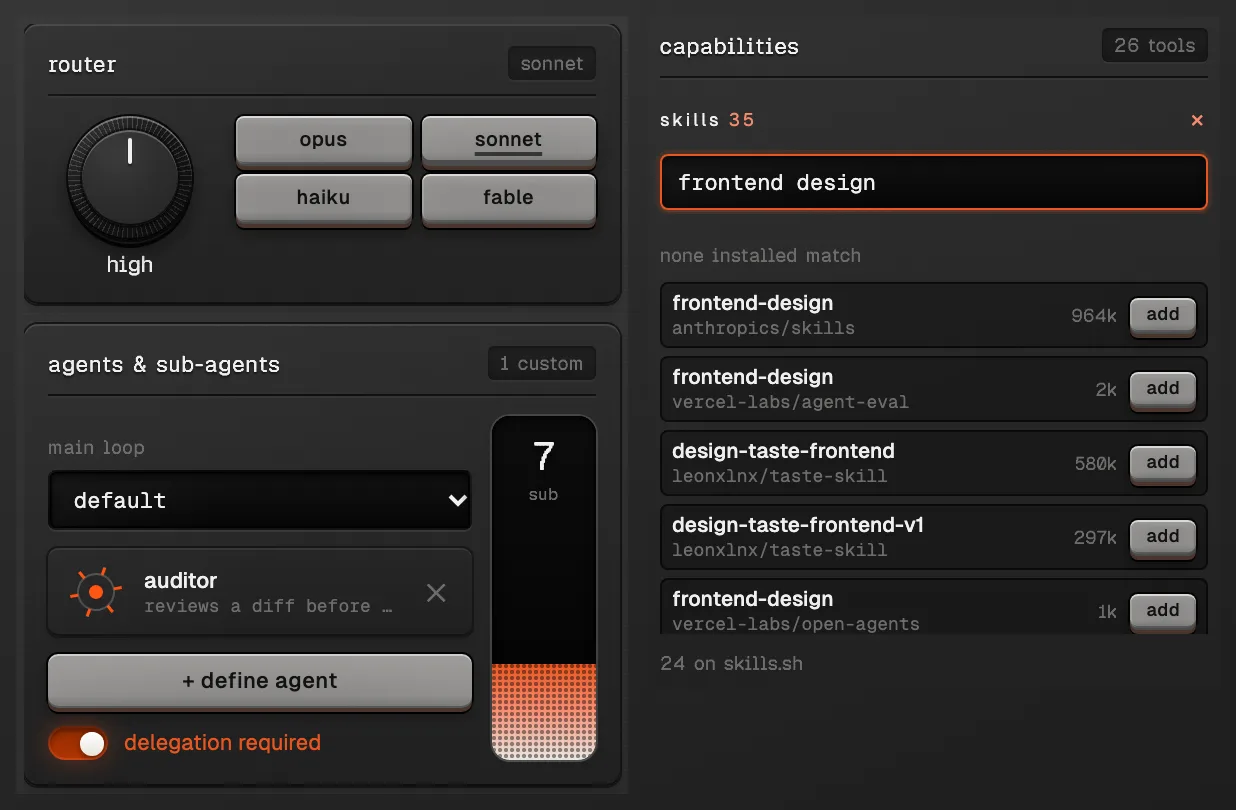
On the left column, the menu provides users the ability to more easily tweak the number of sub-agents and agents they would require (or the max number of agents available) for either the conversation or a given turn.
On the left, users can manage the number of agents and sub-agents and can search for skills that they’d like to adopt in the instance.
At the bottom, users can manage the files, provide input with audio, or manage the directory.

AI use#
Controller was built with Claude Code (Claude Opus 5.5). GPT-6 Astra 3D modelled the Controller design in Blender that Controller’s texture was developed from.